AWS ECR
Github repository Github repository
Amazon Elastic Container Registry (Amazon ECR) is an AWS managed container image registry service that is secure, scalable, and reliable. Amazon ECR supports private repositories with resource-based permissions using AWS IAM. This is so that specified users or Amazon EC2 instances can access your container repositories and images.AWS ECR
Run below command to create AWS ECR
1 | terraform apply -target=module.ecr -var-file="aws-ecs.tfvars" |
The terraform will create 2 ECR repository, attach access rule and lifecycle policy.

Both repository are using below lifecycle policy
- Remove all untagged images after 7 days
- Remove all images after 30 days since the ECR only for testing purpose.
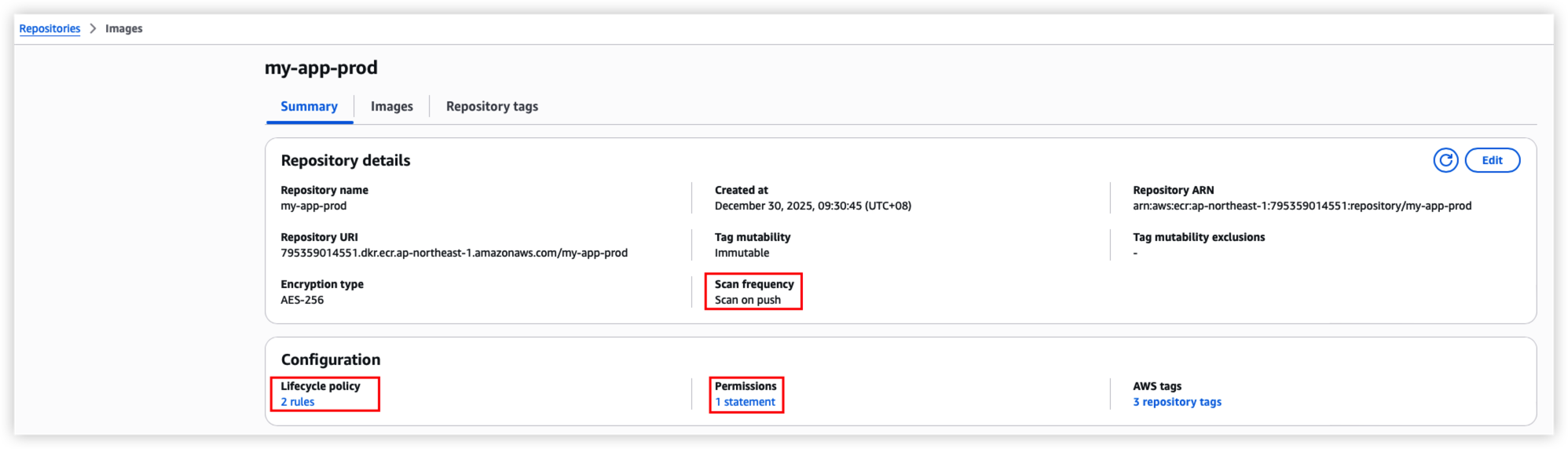
Both repository will enable docker image scan after it’s been published to ECR.
*Remember to Enable AWS Inspector V2 from console before enhanced scanning, ECR enhanced scanning will use AWS inspector to scan images. For AWS free plan not allow to use the service, thus discard the code as below.
1 | # ECR image scan |
Push to ECR
Run step3 to build docker image first if you don’t have.
In this example, I will push nginx to ECR.
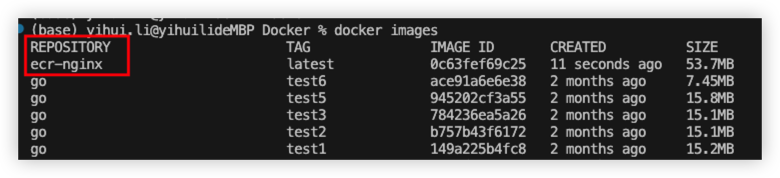
Use below script to login ECR
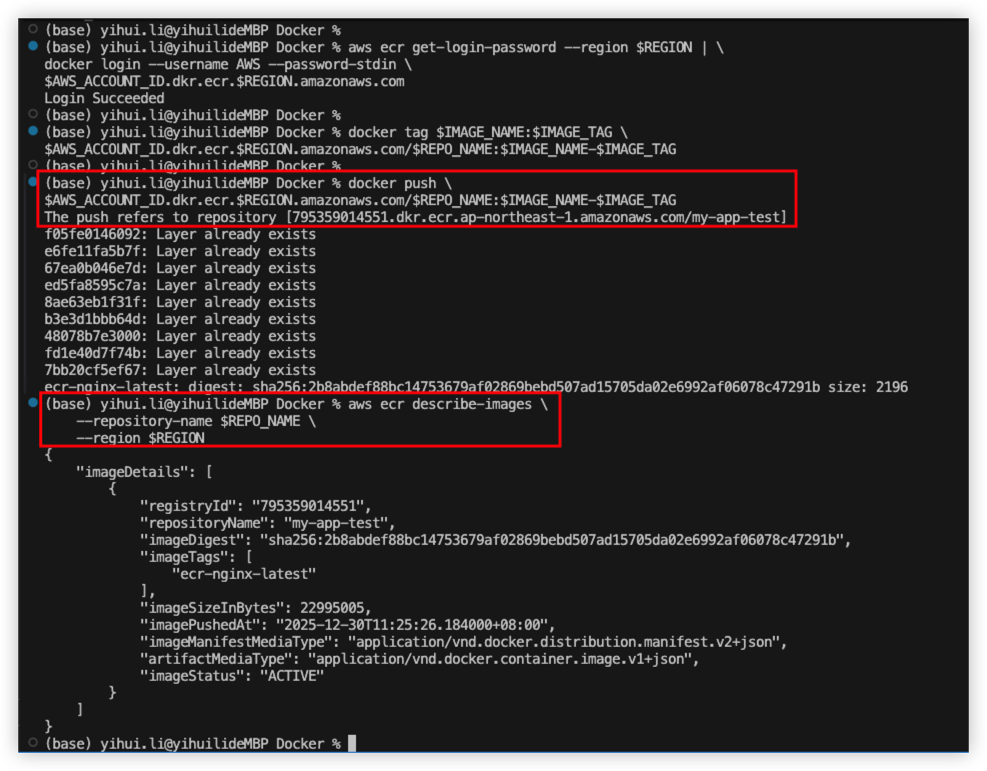
1 | AWS_ACCOUNT_ID="795359014551" |
Push result as below
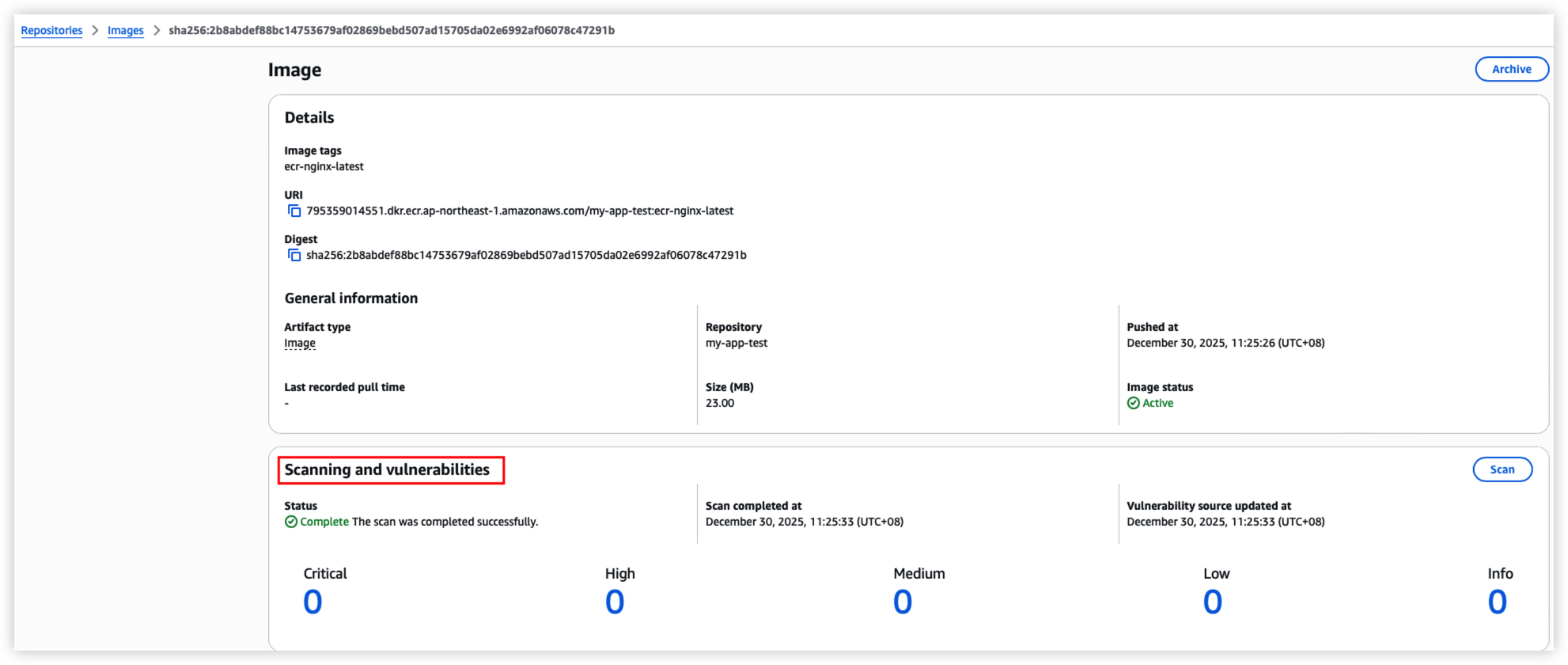
Login AWS Console to check image in ECR
Promote image to another repository
Promote image from my-app-test to my-app-prod
1 | AWS_ACCOUNT_ID="795359014551" |
Best Practise
1.We should create repository for each application for better management and control.
For example
123456789012.dkr.ecr.us-east-1.amazonaws.com/user-service:latest
123456789012.dkr.ecr.us-east-1.amazonaws.com/order-service:latest
123456789012.dkr.ecr.us-east-1.amazonaws.com/payment-service:latest
123456789012.dkr.ecr.us-east-1.amazonaws.com/api-gateway:latest
123456789012.dkr.ecr.us-east-1.amazonaws.com/nginx:latest
In CI/CD, we need to check whether repository exists or not. If not then need to create a new 1 before we push the images.
2.We should seprate the image for difference environment.
For example
123456789012.dkr.ecr.us-east-1.amazonaws.com/user-service-dev:latest
123456789012.dkr.ecr.us-east-1.amazonaws.com/user-service-uat:latest
123456789012.dkr.ecr.us-east-1.amazonaws.com/user-service-prod:latest
Pull from ECR
Run below command to pull image from ECR.
1 | AWS_ACCOUNT_ID="795359014551" |
Result as below

ECS
Amazon Elastic Container Service (Amazon ECS) is a fully managed container orchestration service that helps you easily deploy, manage, and scale containerized applications. As a fully managed service, Amazon ECS comes with AWS configuration and operational best practices built-in. It’s integrated with both AWS tools, such as Amazon Elastic Container Registry (ECR), and third-party tools, such as Docker. AWS ECS
ECS provide 2 type of capacity:
- Fargate - Serviceless compute engine managed by AWS, developer no need to care about the server detail like CPU and memory but higher cost.
- EC2 - Developer need to create EC2 and managed instance on their own with lower cost.
Fargate
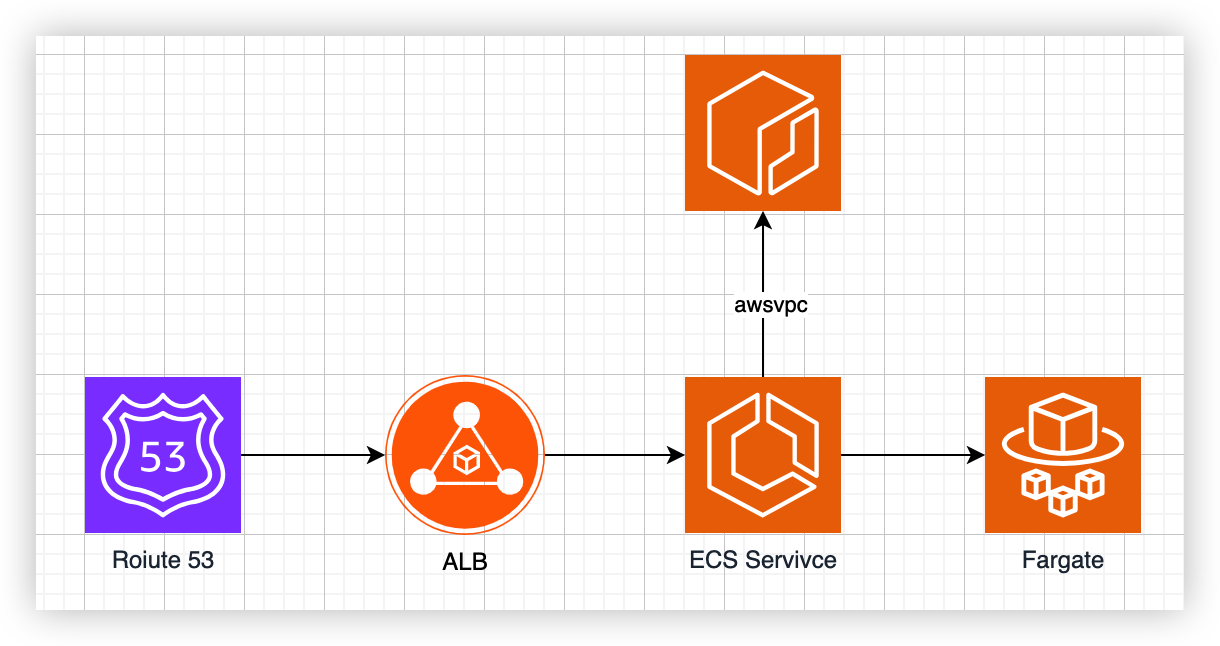
In this example, terraform module will create:
- Route53
- VPC endpoint to access ECR
- AWS Application Load Balancer
- ECS service with fargate type
- CloudWatch log group
Run step 5 command as below
1 | terraform apply -target=module.ecs_fargate -var-file="aws-ecs.tfvars" |
To stop ECS task, can execute below command
*After the task stop, it will auto start up a new task.
1 | aws ecs stop-task \ |
If we need to stop all task without auto startup, then we will need the whole ECS service get stopped.
Change the expected task count to be 0.
1 | aws ecs update-service \ |
TroubleShoot
Fail to pull image from ECR
ResourceInitializationError: unable to pull secrets or registry auth: The task cannot pull registry auth from Amazon ECR: There is a connection issue between the task and Amazon ECR.
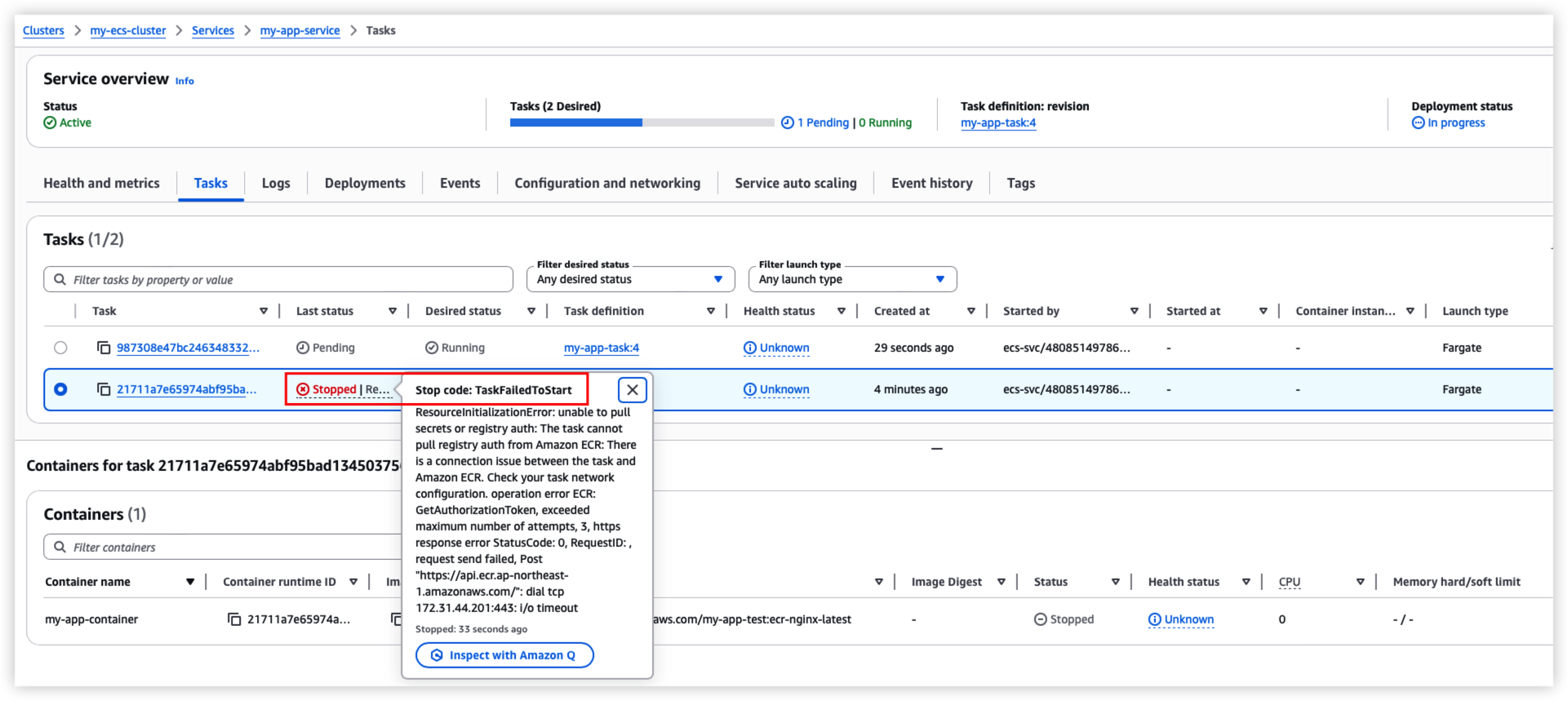
Solution:
Execute AWS document to idenfity the root cause.
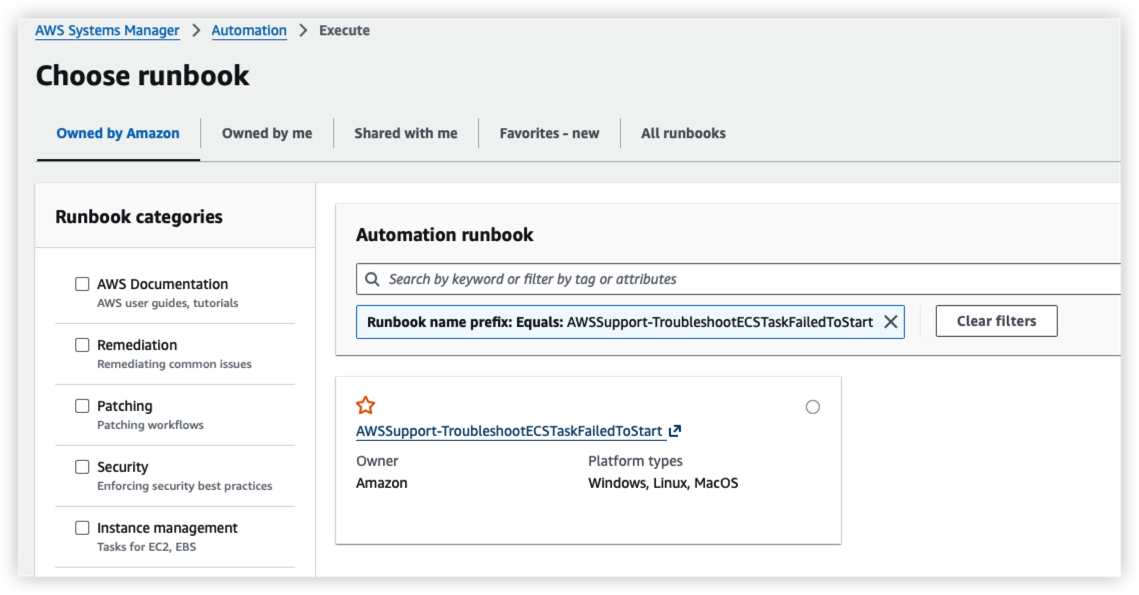
Reference Verify AWS ECS task connectivity